


Transparent clock weather Pro
4.11.61K Reviews
App Specs
- Version
- 9.06.0
- Updated On
- License
- $10.99
- Downloads
- 100,000+
- Developer
- MACHAPP Software Ltd
- Categories
- Weather
- Platform
- Android
Screenshots
 Analysis by AppCompare
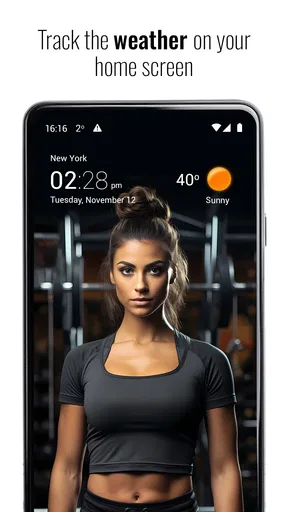
Weather apps ask for trust in small, ordinary ways: they can become part of a morning routine, shape when I leave home, and put information on a screen I check without thinking. That makes the difference between a useful forecast and a distracting one more personal than it first sounds. Transparent clock weather Pro is a weather app from MACHAPP Software Ltd, built around forecasts and clock-and-weather widgets. I find its appeal clearest when I want a quick glance from my home screen rather than another reason to open a full-screen app.
What a glance can—and cannot—tell you
A widget is useful because it brings selected weather information into the place I already look for the time. That convenience also calls for sensible expectations: a compact display is a prompt to check conditions, not a substitute for reading a forecast before a decision where timing or safety matters. I would use it to decide whether to take a light jacket or to check the app before setting out, but I would not treat a quick glance as a guarantee that a shower will miss my route.
This distinction matters with any forecast service. Conditions can change, and a forecast is guidance rather than certainty. If I am planning a long drive, an outdoor event, or a day in unfamiliar surroundings, I would inspect the relevant forecast information directly and make a backup plan instead of relying on a widget alone. The home-screen format makes routine checks easier; it does not remove the need for judgement.
How it fits a daily routine
The practical test for a weather widget is whether it answers a real question without adding extra steps. On a weekday morning, for example, I might check the clock while getting ready, notice that the conditions could affect my walk to the station, and open the app for a closer look before leaving. That is a useful workflow: the widget surfaces a reason to check, while the app gives me space to consider the day rather than forcing every decision into a tiny panel.
For a person who checks the weather repeatedly, the main benefit is less about having more information and more about placing a familiar check where it is easy to make. I would keep the widget focused on the details I consult most often instead of trying to display everything at once. A crowded widget can undermine the very advantage of a glance, especially on a busy home screen. If a particular detail is important to a plan, I would open the forecast rather than assume it will remain legible or useful in a compact layout.
Choosing it over a standard weather app
Compared with a basic weather app that you open only when you need a forecast, this one makes the clock-and-weather combination central to its appeal. That suits someone who wants the conditions visible beside the time and likes a widget that can blend with a chosen wallpaper. The trade-off is that the visual fit and home-screen presence may matter more to some people than they do to others. If I rarely use widgets, a straightforward weather app may be the simpler choice, with less reason to adjust a home-screen layout.
It is also worth separating visual convenience from forecast confidence. A polished widget can make information easier to notice, but appearance alone cannot tell me how well a forecast will serve a particular location or plan. I would compare the information it shows with the level of detail I actually need, and use another source when a decision calls for a second opinion. For everyday planning, a glanceable display may be enough; for weather-sensitive work or travel, I would want to inspect conditions more carefully.
Worth Reading Before You Choose

EA SPORTS FC Mobile 26 Is a Bigger Football Game, but It Takes Time

Flipboard Shows What News Apps Must Do Beyond the Feed

Switching to Android Auto Means Rethinking Your Driving Routine

Google Calendar Makes a Crowded Week Easier to Manage

Ludo King Makes the Most of the Minutes Between Plans

Baby Panda World Brings Quick Play to Modern Phones, but Its Game Library Feels Busy
Who is likely to appreciate it
I can see this being a good fit for people who enjoy tailoring their home screen and want time and weather presented together. It is also a sensible candidate for someone who checks the forecast several times a day and would rather start with a quick glance than navigate to a separate screen each time. The widget’s transparency can help it sit more naturally alongside a wallpaper, though the best-looking arrangement will depend on the user’s own layout and preferences.
I would be less inclined to recommend it to someone who wants the fewest possible settings, has no interest in widgets, or only checks the weather occasionally. In those cases, a familiar built-in weather option may already cover the need. Someone who depends on highly specific conditions for an outdoor job should also judge it by whether the forecast details they need are easy to find, rather than assuming that any general-purpose weather app will suit a specialist workflow.
Price, platform, and the decision to try it
The app is listed at $10.99, with in-app purchases ranging from $4.99 to $15.99 per item. That makes it worth checking the purchase details carefully before committing, especially if you are comparing it with weather options already available on your phone. Its age rating is Everyone, and the current version is 9.02.1; it requires OS 7.0 or later. Those basics help establish whether it fits a device and budget, but they do not determine whether its widget style is right for you.
Its average rating is 4.2 from around 19,000 ratings, and it has over 100,000 installs. Those figures suggest that it has found an audience, but they are not a personal guarantee that its forecasts, presentation, or purchase choices will suit every user. I would use them as context, then decide based on the experience I want: a weather app that earns a place on the home screen, rather than simply another icon I rarely open.
First Impressions
Right off the bat, Transparent clock weather Pro greets you with a clean and elegant design. It’s like the app developers peered into my slightly cluttered phone and decided to give me the gift of simplicity. The transparency feature is not just a gimmick—it genuinely blends with any wallpaper you might have, making it feel like a native part of your home screen.
Features That Stand Out
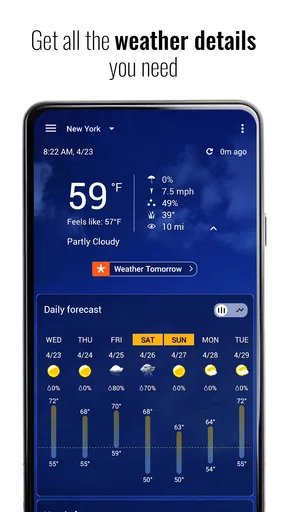
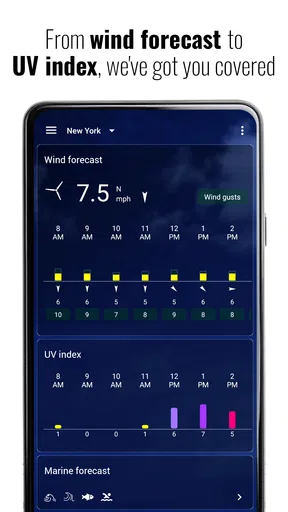
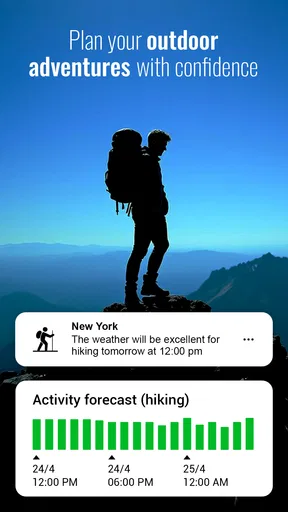
Okay, let’s dive into the nitty-gritty. What sets this app apart? First up, the widget customization. You can tweak the widgets to show exactly what you need. Whether it's current temperature, rainfall probability, or wind speed, it’s all there at a glance.
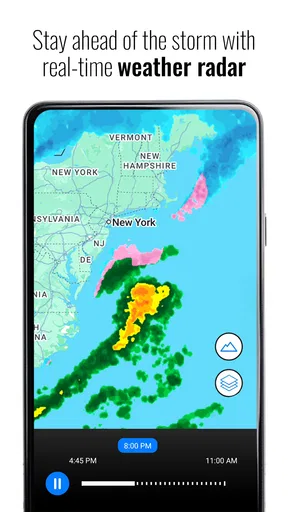
The hourly and daily forecasts are extremely detailed. I’m talking about real-time updates that are accurate enough to plan your day down to the minute. Plus, the radar feature is a lifesaver for those unexpected rain showers.
Performance and Usability
Let’s talk about the app’s performance. It’s smooth and fast, with no noticeable lag, even when switching between different tabs or customizing widgets. The user interface is intuitive. Seriously, even if you’re not a tech-savvy person, you’ll find it easy to navigate.
Now, I know some of you might be worried about the battery drain—an issue with many weather apps. But here, it’s minimal. The app is well-optimized, ensuring that your phone's battery life remains intact while keeping you updated on the weather.
Why It's Worth It
Let's not forget the ad-free experience. Sure, some might argue that spending a few bucks on a weather app seems unnecessary, but trust me, the seamless experience is worth every penny. No pop-ups, no distractions, just pure weather bliss.
Another cool feature is the location-based weather updates. Whether you’re traveling or just hanging out in your backyard, the app keeps your location in check to provide the most accurate forecasts. It's like having a personal weather assistant in your pocket.
Final Thoughts
So, is Transparent clock weather Pro worth the download? Absolutely. It does what it promises, and it does it well. The combination of customization, accuracy, and reliability means you’re always one step ahead of the weather. If you're tired of switching between apps to get your weather fix, give this one a shot. It’s a small investment for a big upgrade in convenience.
In the end, whether you’re a weather enthusiast or just someone who likes to plan their day without any surprises, this app is a must-have. Trust me, you won’t look back.
Pros
- Highly customizable widgets.
- Accurate weather forecasts.
- Supports multiple locations.
- Intuitive and user-friendly UI.
- Ad-free experience.
Cons
- Limited free features.
- Requires constant updates.
- Consumes battery quickly.
- Occasional loading delays.
- No offline mode.
FAQs for Transparent clock weather Pro
What features does Transparent Clock & Weather Pro offer?
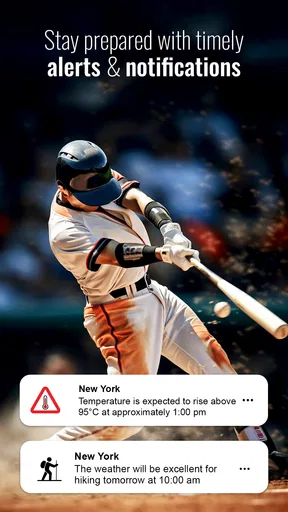
Transparent Clock & Weather Pro provides a comprehensive suite of features, including real-time weather updates, detailed forecasts, and customizable widgets. Users can adjust widget appearances with a variety of themes, access hourly and daily weather predictions, and receive alerts for severe weather conditions, making it a versatile tool for weather tracking.
Is Transparent Clock & Weather Pro available for both Android and iOS?
Yes, Transparent Clock & Weather Pro is available for download on both Android and iOS platforms. This cross-platform availability ensures that users can enjoy the app's full range of features regardless of their device, providing a consistent experience in weather monitoring and customization options.
How does the app ensure accurate weather forecasts?
The app sources its data from reliable meteorological providers, ensuring that users receive precise and up-to-date weather information. It uses advanced algorithms to process data and present forecasts in an easy-to-understand format, helping users plan their days around accurate weather predictions.
Can I customize the widgets in Transparent Clock & Weather Pro?
Absolutely. The app offers a high degree of customization for its widgets, allowing users to select from various themes, sizes, and transparency levels. This ensures that the widgets not only provide essential information but also blend seamlessly with the user's home screen aesthetics.
Are there any additional costs after purchasing the app?
Once you purchase Transparent Clock & Weather Pro, there are no hidden fees or additional costs. The app provides all its features in the initial purchase, ensuring users have access to all functionalities without the need for in-app purchases or subscriptions.


